Mabeyn
Your team's online workplace: rooms, calls, tasks and meetings in one place, on your own server.
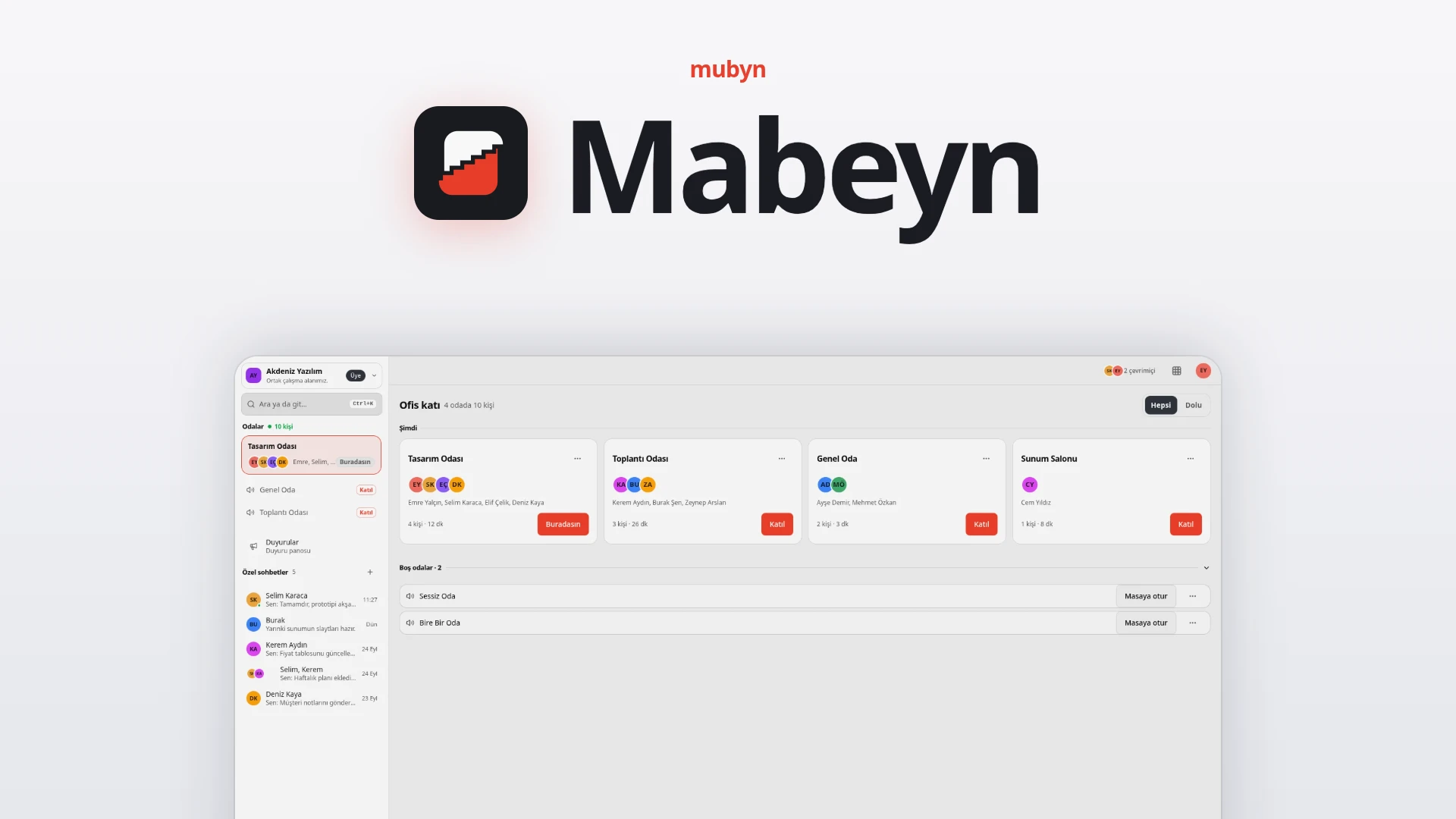
Your team's online workplace. Rooms, calls, tasks and meetings in one place, on your own server.
Chat in one place, video calls in another, tasks in a third, meeting notes in a fourth, all of it in a foreign cloud. Mabeyn brings them under one roof and is installed on your own server. Your data stays at home: the call server, transcription and AI run on your side too.
At a glance
Who it is for
Remote or hybrid teams, organizations spread across several cities and countries, agencies and consultants, and public sector, defense, healthcare and finance organizations that cannot put their data in a foreign cloud.
What it solves
Chat, calls, tasks and meeting notes no longer scatter across separate tools. You can see who is available and who is in which room; meetings are recorded and written out, so decisions and action items do not get lost.
How it works
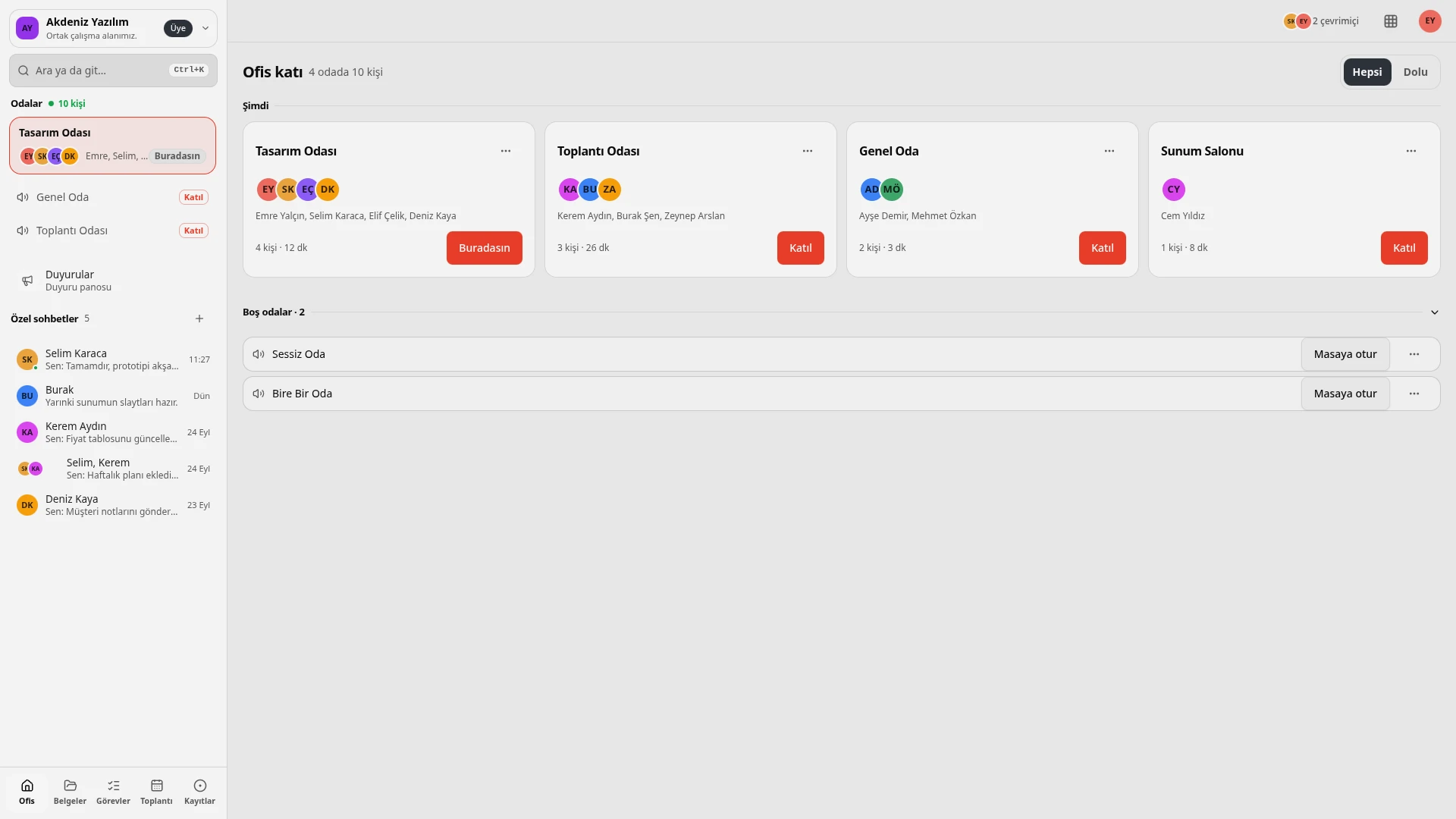
- Step into the office. On the office floor, rooms appear as cards; you see who is in which room and for how long.
- Enter a room. Join with one click and share your voice, camera or screen. The room's chat is permanent.
- Work together. Chat privately, share documents, track tasks on the board.
- Plan the meeting. Plan it on the calendar with an agenda and link it to a room.
- Record. As soon as recording starts, everyone is notified; each speaker's voice is recorded separately.
- Get the summary. Transcription and summary (decisions, pending items) are produced on the organization's own server.
Be together
Office floor and rooms
See who is in which room and for how long, at a glance. Entering a room takes one click; voice, camera and screen sharing are there. The room's chat is permanent.
Announcement board and private chats
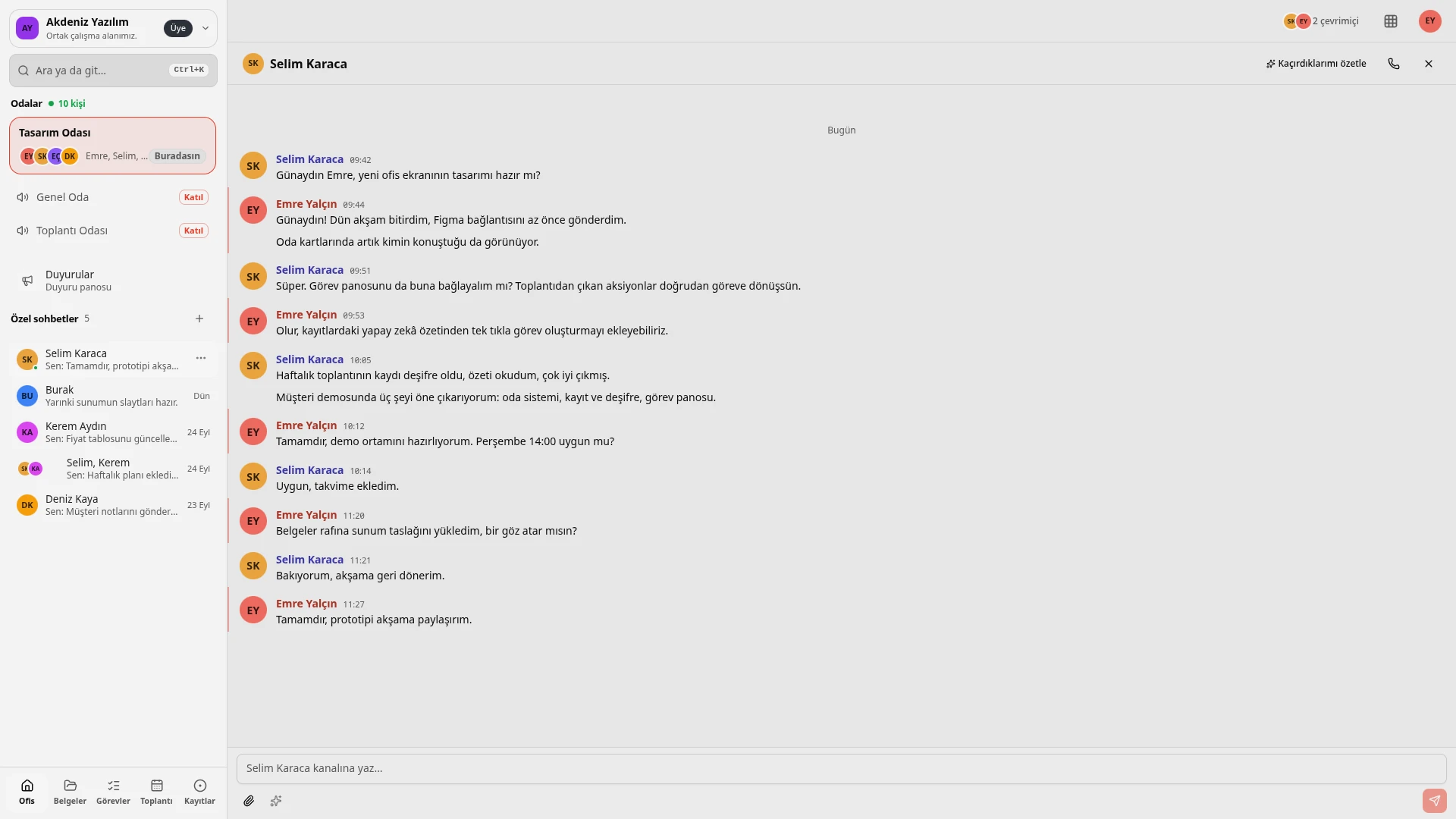
Announcements go to a board everyone can read. Private chats with a person or a group sit right next to the work.
Remote-work profile
Title, status (available, busy, focusing), working hours and the person's local time show on the profile; it is clear who can be reached and when.
Calls
Screen sharing comes with a quality choice; there is full screen, tile focus and a floating call window. Volume is set per person, and a ring appears around whoever is speaking.
Phone-style calling
Call someone from a private chat like a phone call; it works as CallKit on iOS and as a system call on Android.
Customer calls
The customer does not create an account: they click a link, type their name and join from the browser. They see only their own room, and their access ends by itself when the call ends.
Work together
Document shelf
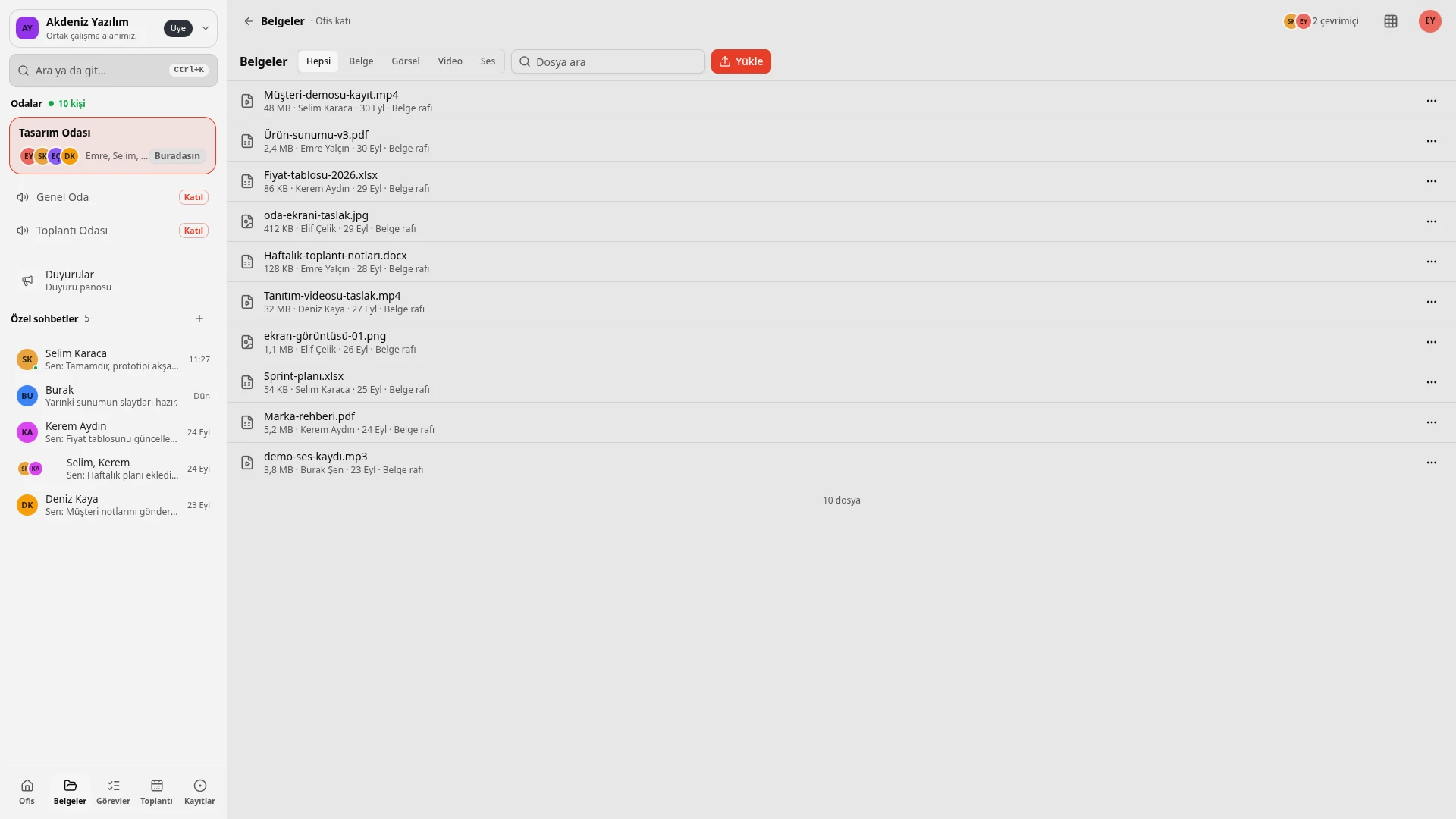
Documents, images, video and audio files are uploaded, searched and previewed.
Tasks
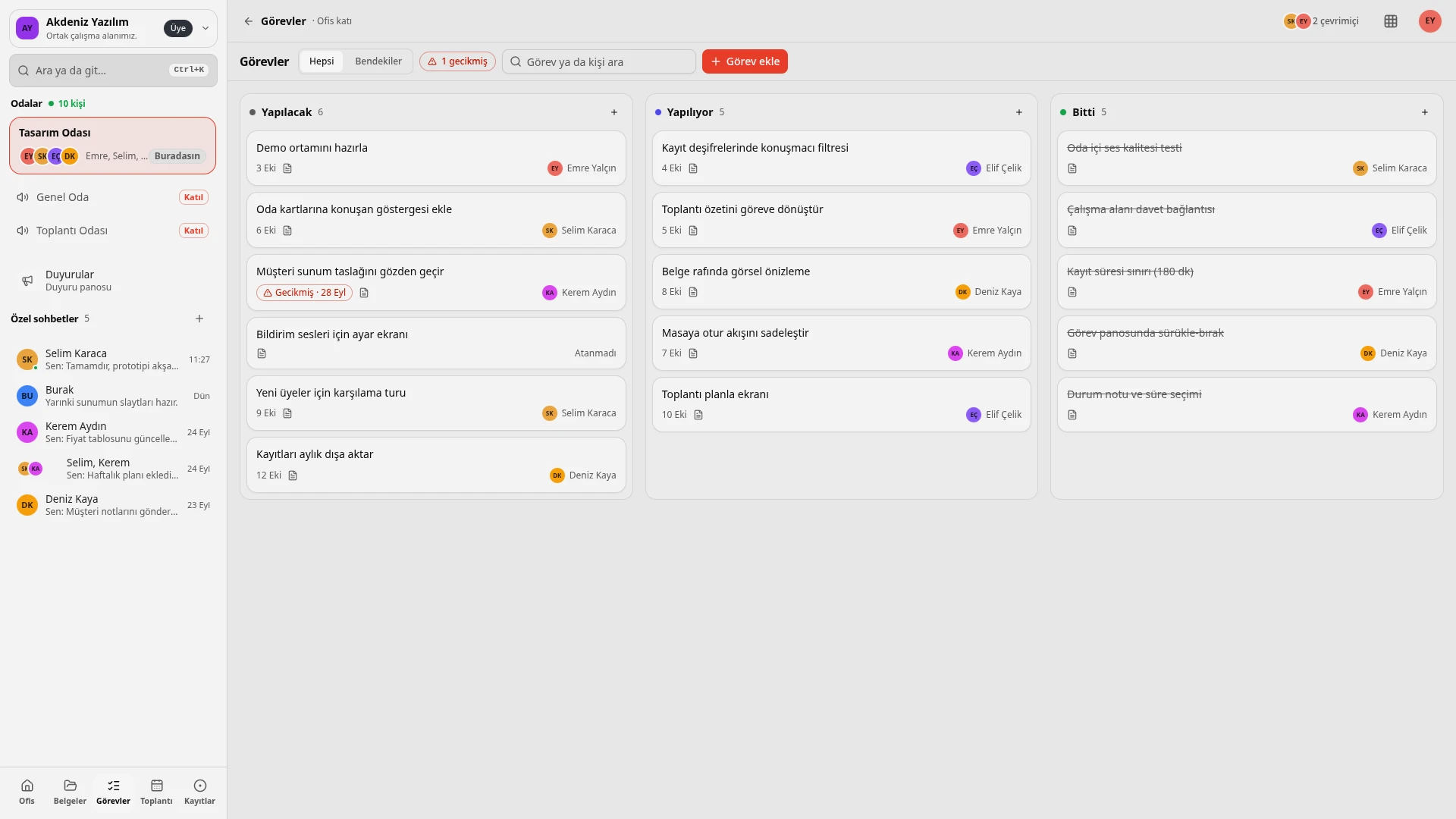
A board with To do, In progress and Done columns. A task can be created from a chat message; the assignee and due date show on the card.
Meetings
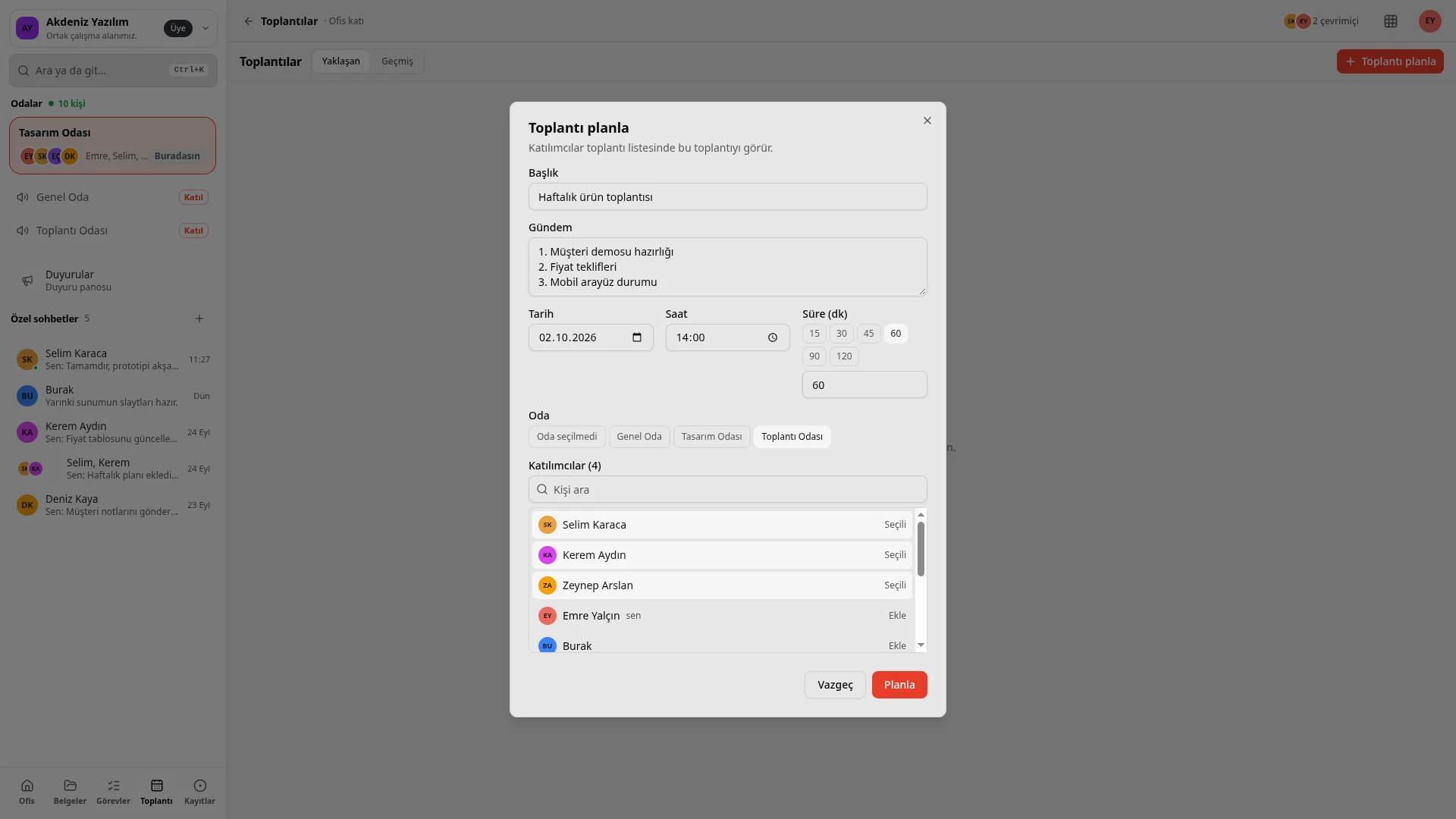
Plan on the calendar with an agenda, keep shared minutes, and link the meeting to a room.
Never forget
Per-speaker recording
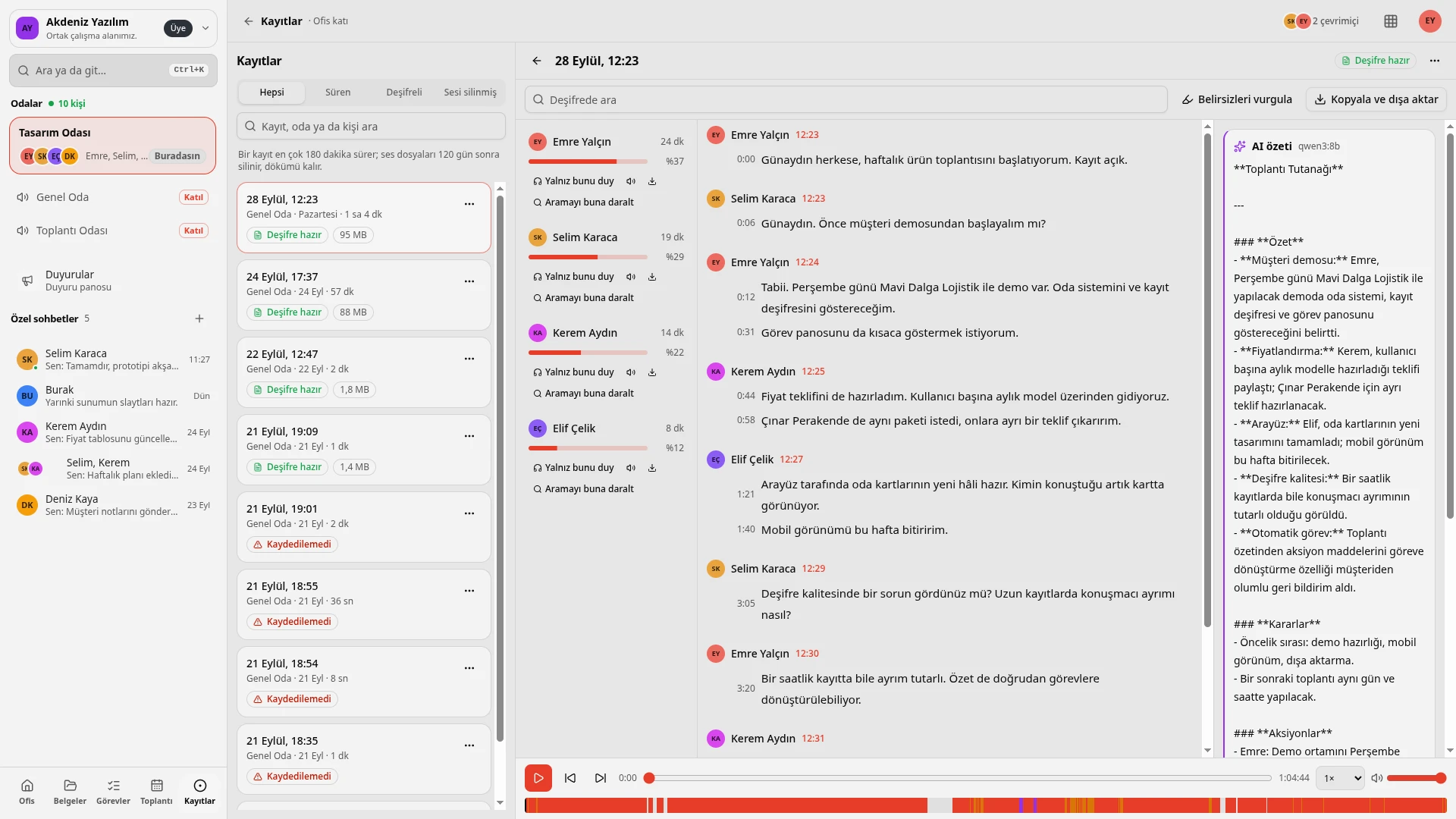
Each speaker's voice is recorded separately, so who said what is certain.
Transcription on the organization's server
Transcription (Whisper) happens on the organization's own server. You search the transcript, read along in sync with the player, export it, and share a link down to the second.
Local AI summary
It summarizes what you missed; the meeting and recording summary extracts decisions and pending items.
Hear only this
You can listen to one speaker on their own and narrow the search to that speaker.
The moment recording starts, everyone in the room is notified and the disclosure notice is shown; it is shown to anyone who joins later too. People can delete their own recording.
A recording lasts at most 180 minutes. Audio files are deleted after 120 days; the written transcript remains.
Local AI
Summarize what I missed
Catch up quickly on a conversation you were away from.
Meeting and recording summary
Decisions and pending items are summarized.
Message translation and writing help
Translates messages and helps while you write.
On the organization's server
The AI runs on the organization's own server (Ollama); content does not go to a third party. If it is not turned on, the related buttons are not shown.
Administration
Roles and permissions
Colored roles and role mentions; a permission matrix per room.
Webhook addresses
Define webhook addresses that post messages to a channel from outside systems; for example, Rasad alerts arrive in a channel.
Time spent in rooms report
A report showing the time spent in rooms.
Quick search and theme
Ctrl+K searches rooms, people and messages; the interface works with a light, dark or system theme.
Platforms
| Platform | What it offers |
|---|---|
| Web | The most complete experience; parts such as starting a recording and the document shelf are fuller here |
| Desktop (macOS, Windows, Linux) | Updates itself; asks for the server address on first launch |
| iOS | Asks for the server address; CallKit for calling from a private chat |
| Android | Asks for the server address; system call for calling from a private chat |
Desktop and mobile apps connect to the organization's own server.
Security and privacy
Installed on your own server
The call server (LiveKit), transcription and AI are all in-house; call media does not pass through a third-party cloud.
Mandatory disclosure when recording
Recording cannot start in secret: everyone is notified as soon as it starts, the disclosure notice is shown to latecomers too, and people can delete their own recording.
Account and data preferences
There is an account deletion and data preferences page. The privacy policy is public.
Sign-in protection
Sign-in attempts are limited and guest access expires after a set time. Sign-in uses Mubyn Hesap.
The Mubyn family
Mabeyn is where the team works. Hesap provides sign-in; sign in once and your profile photo is the same everywhere. The place where you observe your infrastructure is Rasad; you can send its alerts to a Mabeyn channel.
Common questions
What is Mabeyn?
Your team's online workplace: rooms, calls, tasks, meetings, a document shelf, recording and transcription in one place, on your own server.
Where is it installed?
On the organization's own server. The call server, transcription and AI are in-house too.
Can I talk with customers?
Yes. The customer does not create an account; they click a link, type their name and join from the browser. They see only their own room, and their access ends by itself when the call ends.
Can recording start in secret?
No. As soon as it starts, everyone is notified, the disclosure notice is shown, and it is shown to anyone who joins later too. People can delete their own recording.
Where does transcription happen?
On the organization's own server (Whisper). Because each speaker's voice is recorded separately, who said what is certain.
How long can a recording be, and how long is it kept?
A recording lasts at most 180 minutes. Audio files are deleted after 120 days; the written transcript remains.
How do the AI features work?
They work with the AI model on the organization's server. If it is not turned on, the related buttons are not shown.
Which devices can I use?
Web, desktop (macOS, Windows, Linux), iOS and Android. Desktop and mobile apps ask for the server address and connect to the organization's own server.
How do I sign in?
With a single sign-in through Mubyn Hesap.
Let's get to know Mabeyn
Let's talk about how it would fit your team.